The cause:
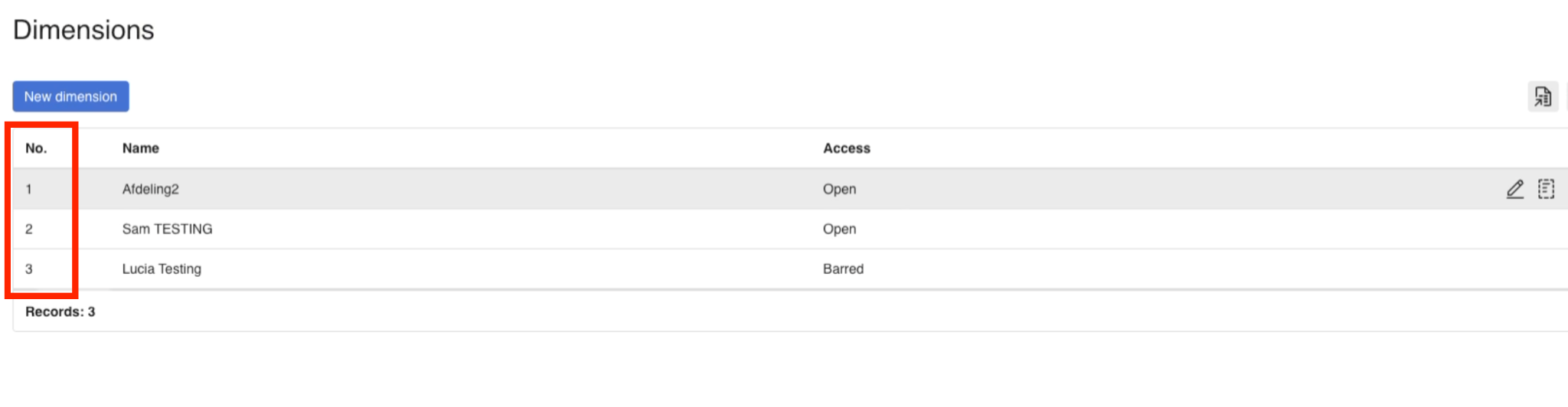
The team code in Pleo should reflect the department number in e-conomic. So if the team code is incorrect (e.g., it's showing as "0" in Pleo and no such number can exist in e-conomic), then the export will fail.
The solution:
Make sure that the team code in Pleo matches the department number in e-conomic.
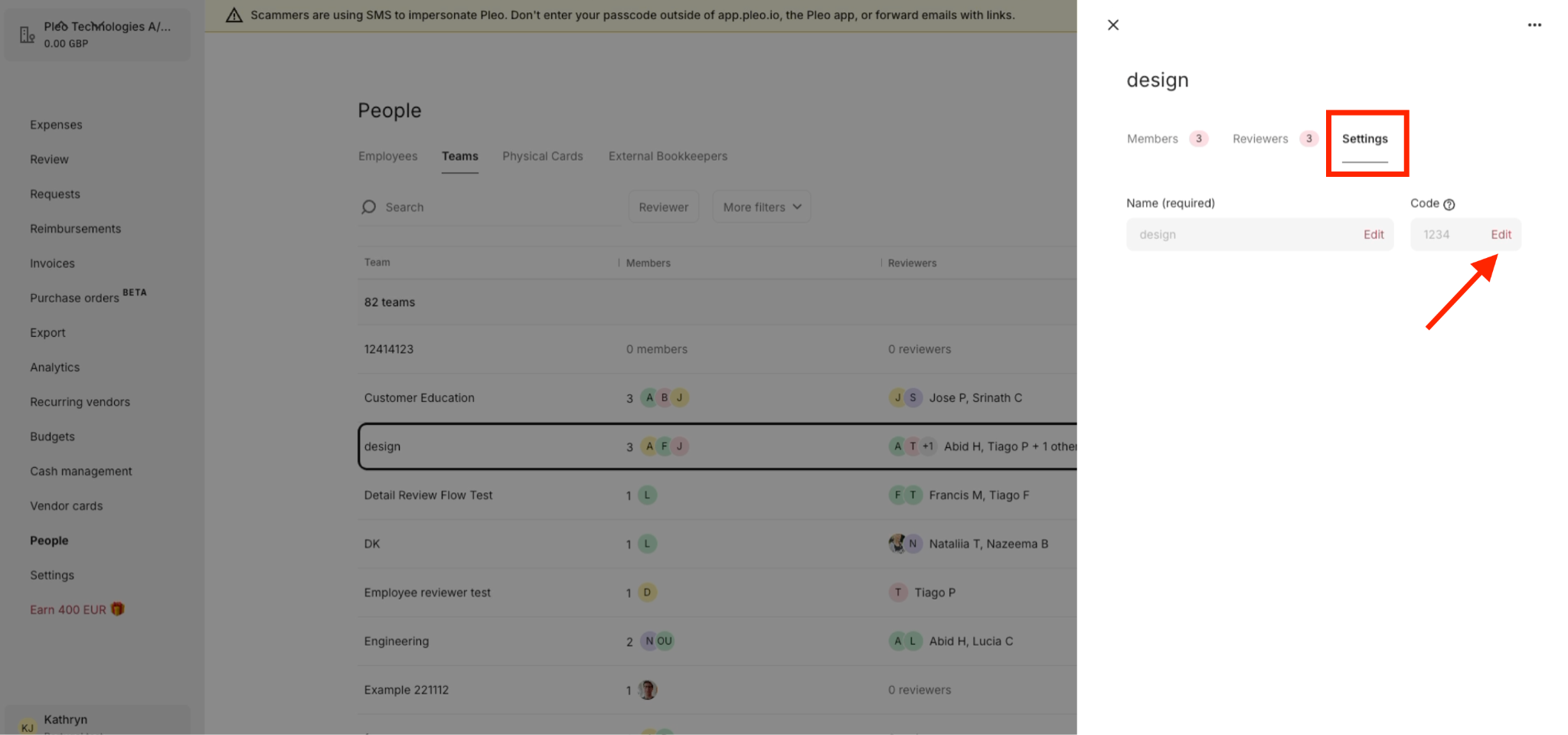
- In the Pleo app, go to People
- Navigate to Teams
- Click on the team you want to add the default department code for
- Access Settings
- Under Code, click Edit
- Enter the exact number from e-conomic’s department dimension that you want to assign to this team
Was this article helpful?
That’s Great!
Thank you for your feedback
Sorry! We couldn't be helpful
Thank you for your feedback
Feedback sent
We appreciate your effort and will try to fix the article
Need more help? Contact us.
Login and click the ? in the bottom right corner to chat with us. Having issues logging in? Find out why you are unable to log in.
