The integration syncs your VAT Setups (Normal and Reverse Charge) to Pleo as Tax Codes. This ensures your exported expenses include both VAT Product and VAT Business Posting Groups automatically.
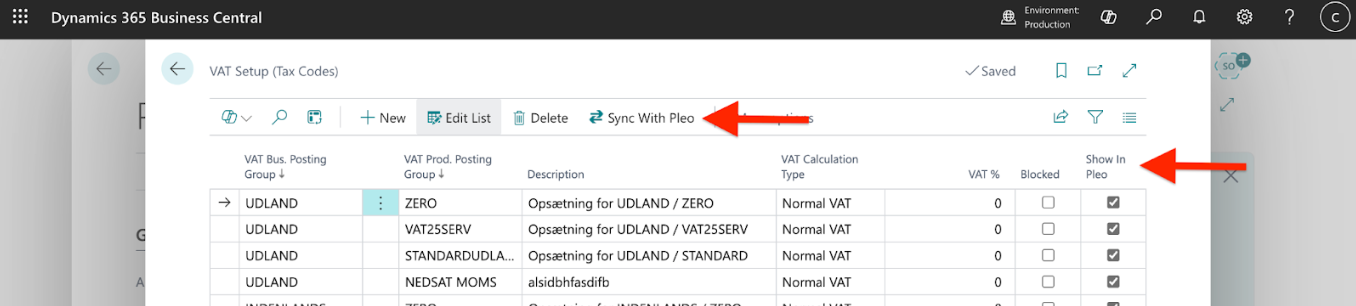
By default, all non-blocked Normal and Reverse Charge VAT Setups are synced with Pleo. To exclude specific VAT Setups:
- Open Pleo Integration Setup in Business Central
- Select Tax Codes Setup
- Uncheck Show in Pleo for the VAT Setups you don’t want
- Click Sync with Pleo to update Tax Codes in Pleo
Was this article helpful?
That’s Great!
Thank you for your feedback
Sorry! We couldn't be helpful
Thank you for your feedback
Feedback sent
We appreciate your effort and will try to fix the article