Learn where to find your bank transfer details in Pleo as an admin, so you can correctly transfer funds to your account from your bank.
Find your bank details for a bank transfer
You can find your bank transfer details in the Pleo web app. Use these details when you make a manual transfer from your bank.
- In the Pleo web app, go to Cash Management
- Select the account you want to find the bank details for
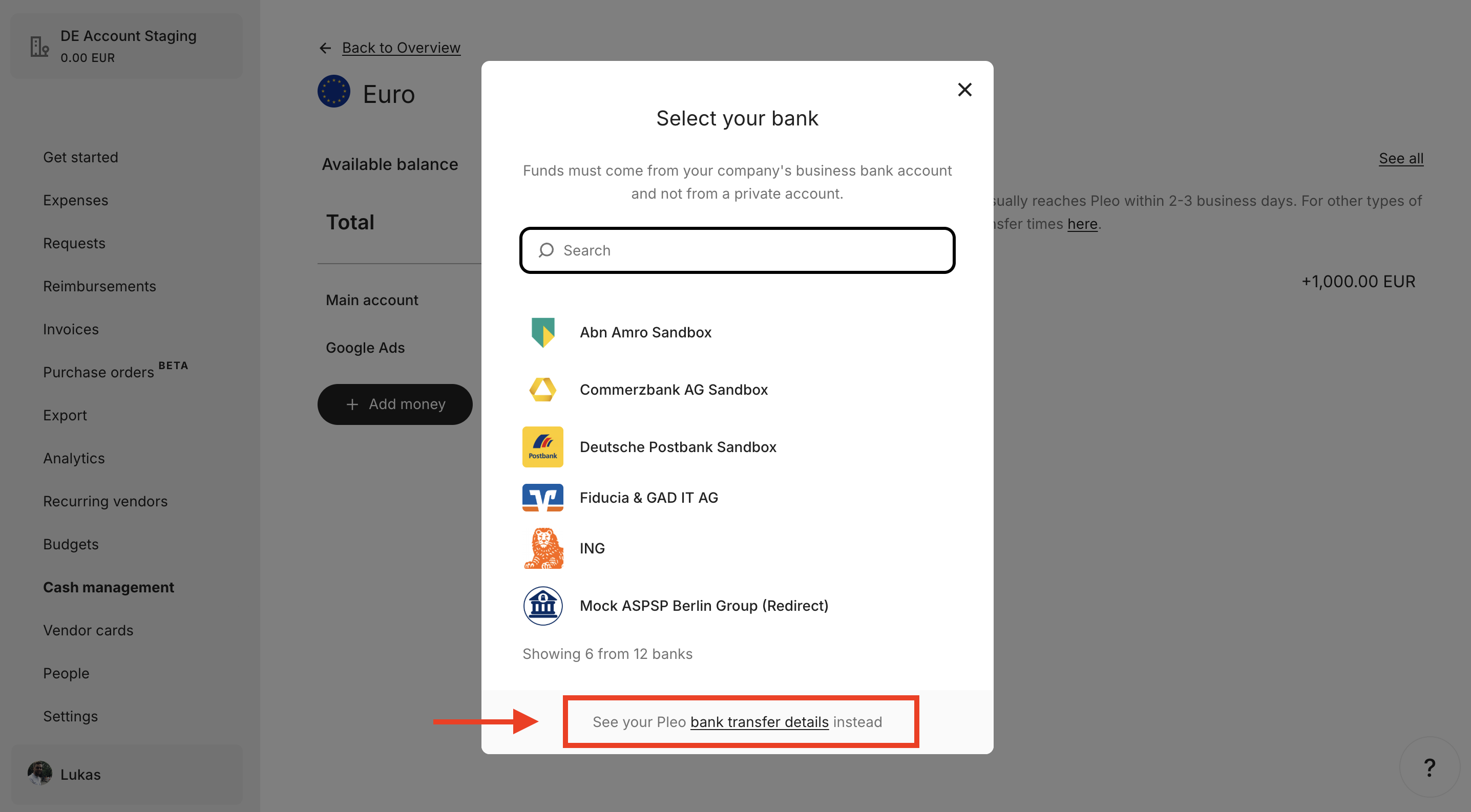
- Click Add money
- Select Bank transfer (if applicable)
- Click Bank transfer details (at the bottom of the pop-up)
Was this article helpful?
That’s Great!
Thank you for your feedback
Sorry! We couldn't be helpful
Thank you for your feedback
Feedback sent
We appreciate your effort and will try to fix the article
Need more help? Contact us.
Login and click the ? in the bottom right corner to chat with us. Having issues logging in? Find out why you are unable to log in.
