Pleo’s Representation calculator helps Swedish companies easily manage business entertainment expenses, such as meals and refreshments with clients, suppliers, or colleagues. Simply add the attendees and select the representation type; Pleo automatically calculates the deductible VAT and splits the expense into deductible and non-deductible amounts.
To use the Representation calculator with Business Central, complete the following setup:
- Verify your integration version (1.7.1.2 or later)
- To check your Pleo integration version:
- In Business Central, open Extension Management
- Find and click the Pleo app to see the app version on the screen
- If you are running an older version, please update your integration before proceeding
- To check your Pleo integration version:
- Add Contra Accounts in Pleo
- Open the Contra Accounts page
- Add accounts in the Representation section
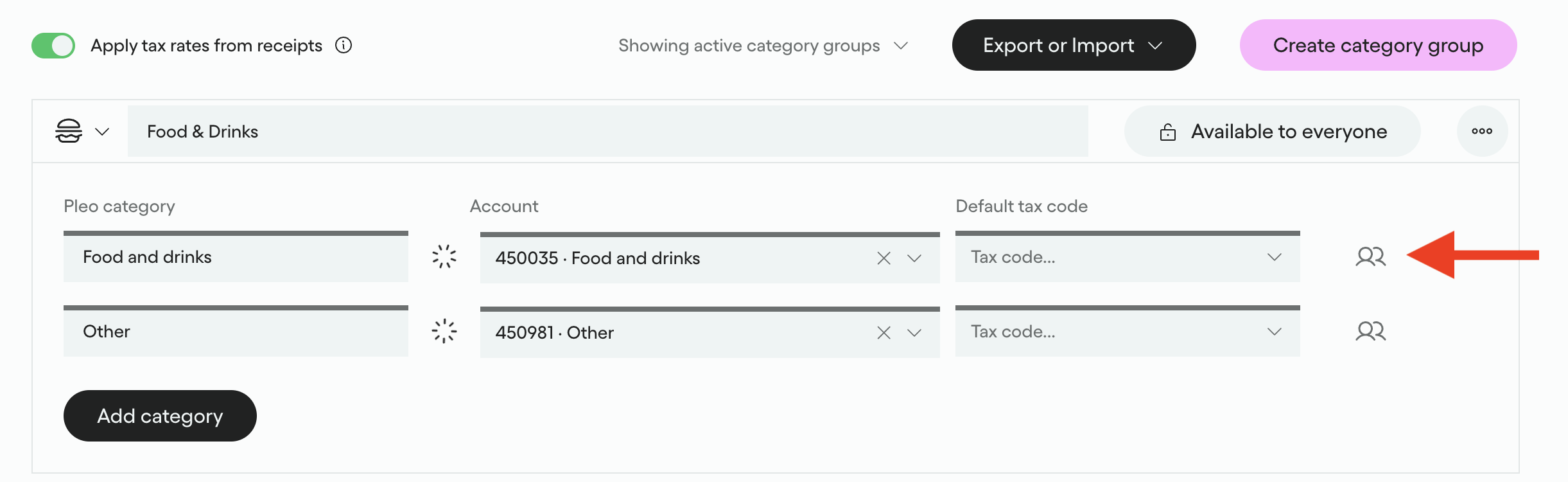
- Enable Representation on Categories in Pleo (if not enabled previously):
- Go to the Categories page
- Click on the person icon to the right of the expense Category you want to enable for representation
- Enable and click Save
- Export an expense with representation calculated to ensure it is recorded correctly in Business Central
- Representation expense exported to Business Central example

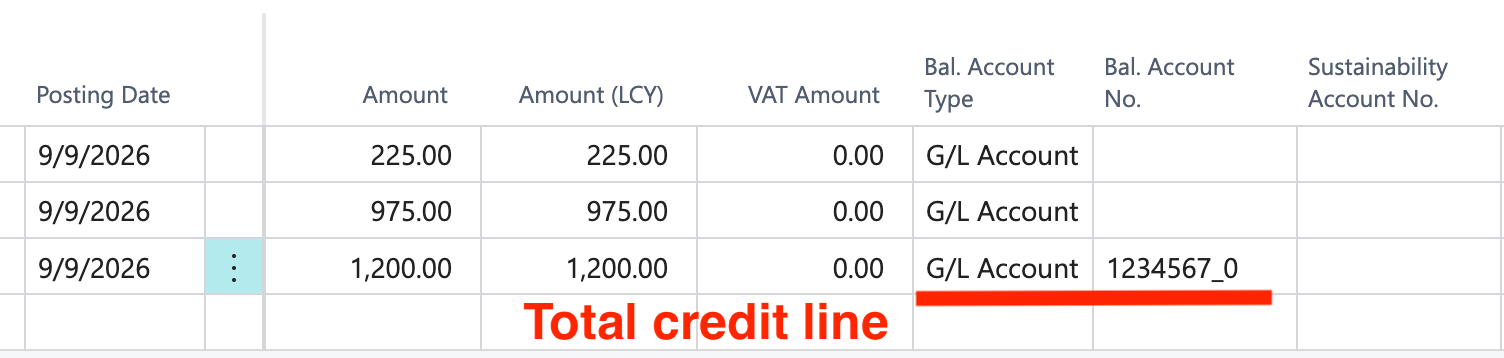
- Representation expense exported to Business Central example
Was this article helpful?
That’s Great!
Thank you for your feedback
Sorry! We couldn't be helpful
Thank you for your feedback
Feedback sent
We appreciate your effort and will try to fix the article
