If you need help, the fastest way is usually to message our Support team directly in the chat. If you’d rather troubleshoot on your own (or if you can’t log in), you’ll also find links below to the most helpful Help Centre articles for common issues like access, cards, and declined payments.
How to reach chat support
From the web app
- Log in to Pleo at https://app.pleo.io
- Click the ? (Help) icon in the bottom-right corner
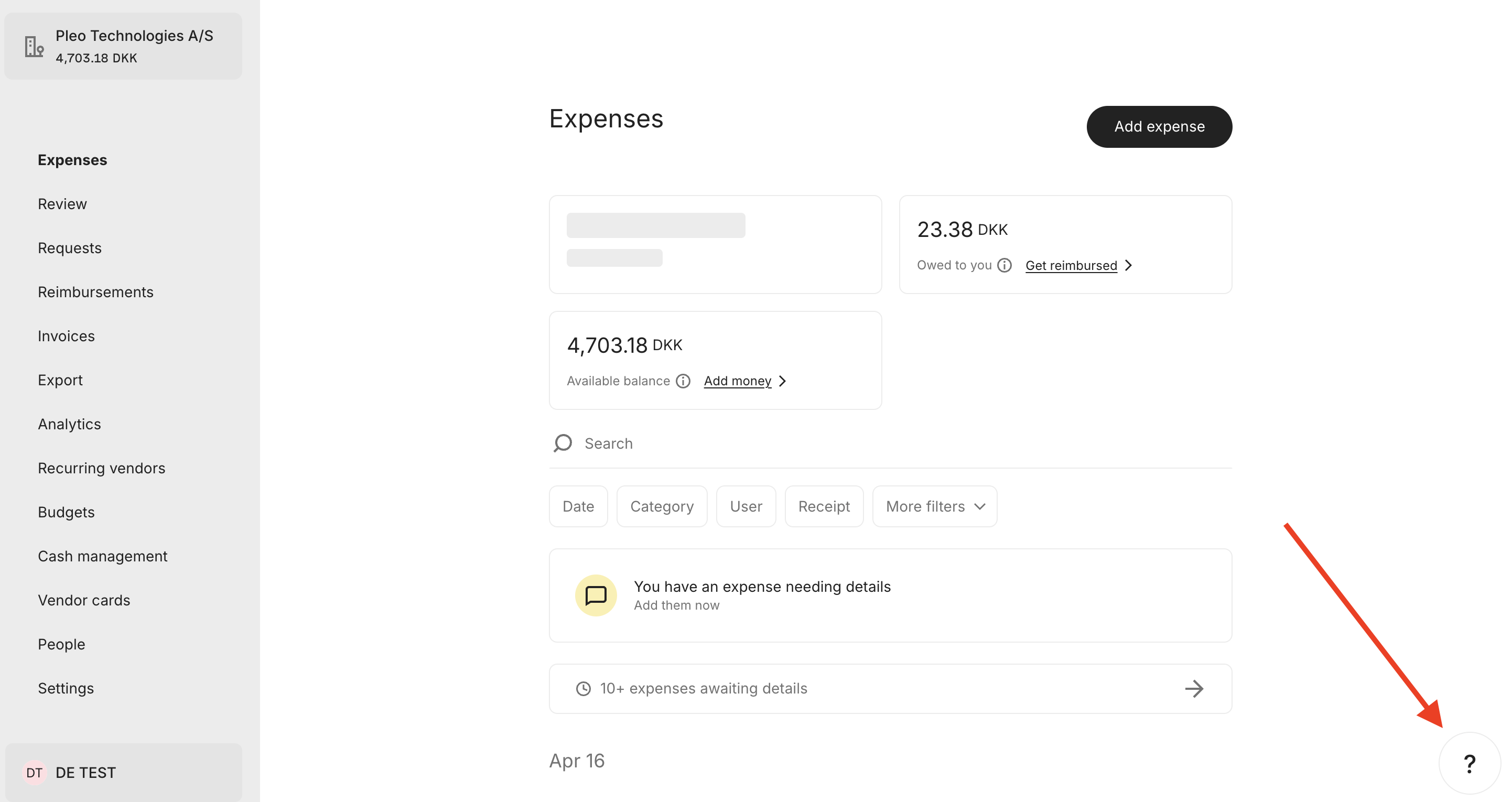
- Select Chat with us and live chat
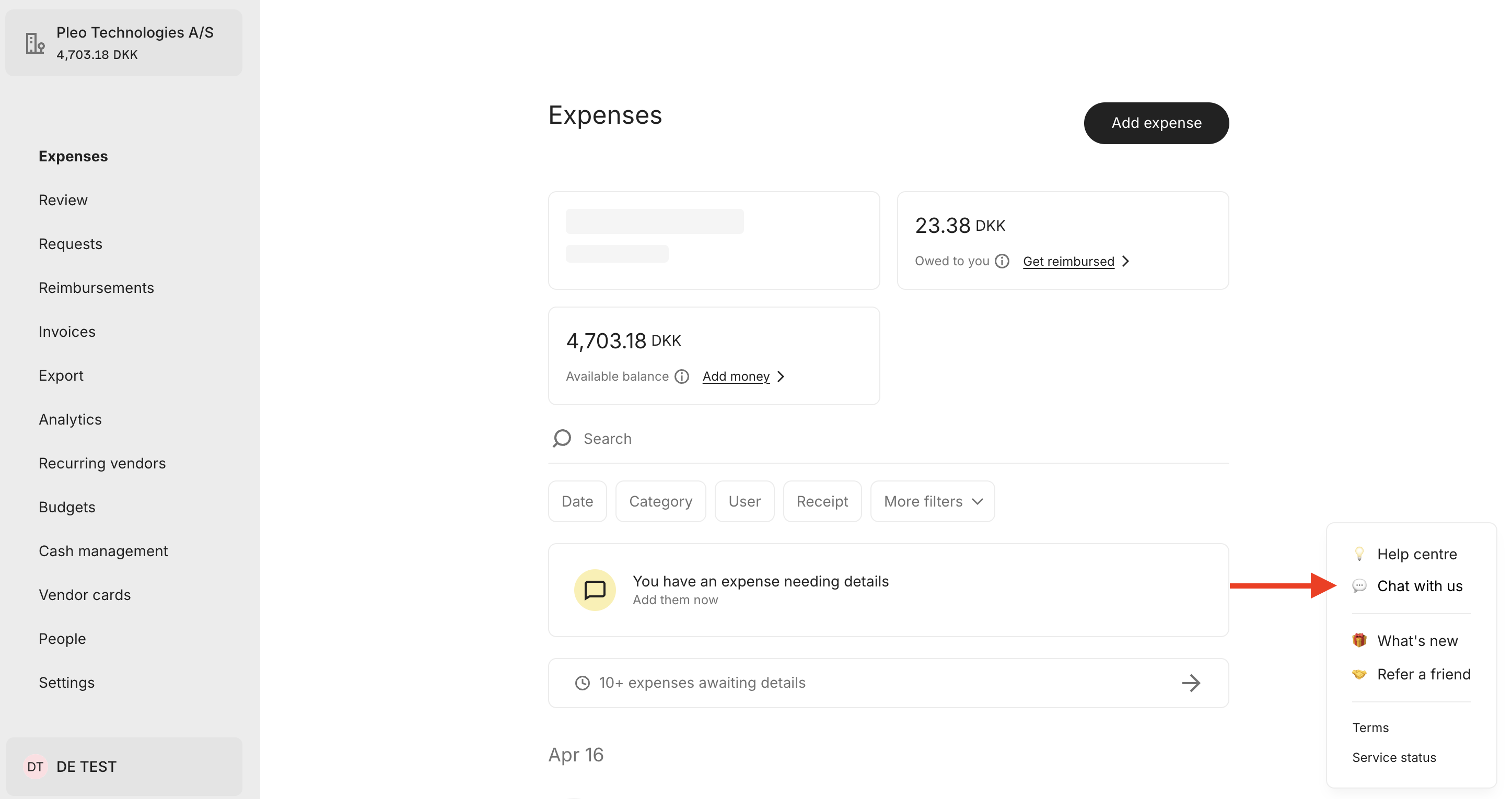
- Prepare your message with as much information as possible
From the mobile app
- Open the Pleo app and log in
- Go to Account, then select Help
- Select the relevant category/topic (if prompted)
- Select Message us to start a chat
Helpful articles for common issues
Self-serve using our Help Centre articles to save time and find efficient help right away, at any time.
Access (Logging in)
- Logging in (all articles)
- Log in issues
- Forgot passcode
- Issues with verification email
- Not receiving SMS code (see “Logging in” section)
Cards
Declined payments
Account top-up
Was this article helpful?
That’s Great!
Thank you for your feedback
Sorry! We couldn't be helpful
Thank you for your feedback
Feedback sent
We appreciate your effort and will try to fix the article
